InkSheet Studio
Salon and Barber Business Spreadsheet | Appointments, Stylist Commission Pay, Retail Inventory and P&L
Salon and Barber Business Spreadsheet | Appointments, Stylist Commission Pay, Retail Inventory and P&L
Couldn't load pickup availability
INSTANT DOWNLOAD — HOW IT WORKS: This is a digital download, not a physical product — nothing is shipped. After checkout, your download link appears right on the confirmation page and is also emailed to you. Use the files in your favorite apps and projects, or print the PDF files at home or at a local print shop.
Four chairs running, a retail shelf nobody has counted in weeks, and payday math done on a napkin. What did each stylist actually earn? Which product is about to run out mid-Saturday? And at the end of the month — after rent, product and pay — what did the shop keep?
Most salon spreadsheets stop at an appointment book. This one runs the whole shop: every appointment totals itself from service, tip and retail, stylist pay figures itself per appointment at your commission rate (tips pass through whole), retail stock flags itself before a bestseller runs out, and the month rolls into a profit-and-loss by itself. In the sample month inside, four stylists take 42 appointments — and the matte clay pomade is sitting OUT of stock on the shelf while four more products run low. A booking app never shows you that. The sheet does.
Transparency note: this spreadsheet was designed with AI assistance, then hand-built, formula-checked and finished by our shop.
THE 5 TABS
• Start Here — Instructions & Dashboard — quick-start instructions, your settings, and a live dashboard where every number is a formula pulling from the other tabs
• Appointments & Revenue — One row per appointment — service, tip and retail in; the ticket total figures itself.
• Stylist Pay — Pay per appointment at your commission rate, tips passed through whole — plus pay by stylist.
• Retail & Inventory — The retail shelf in one tab — cost %, par levels, order amounts and low-stock flags.
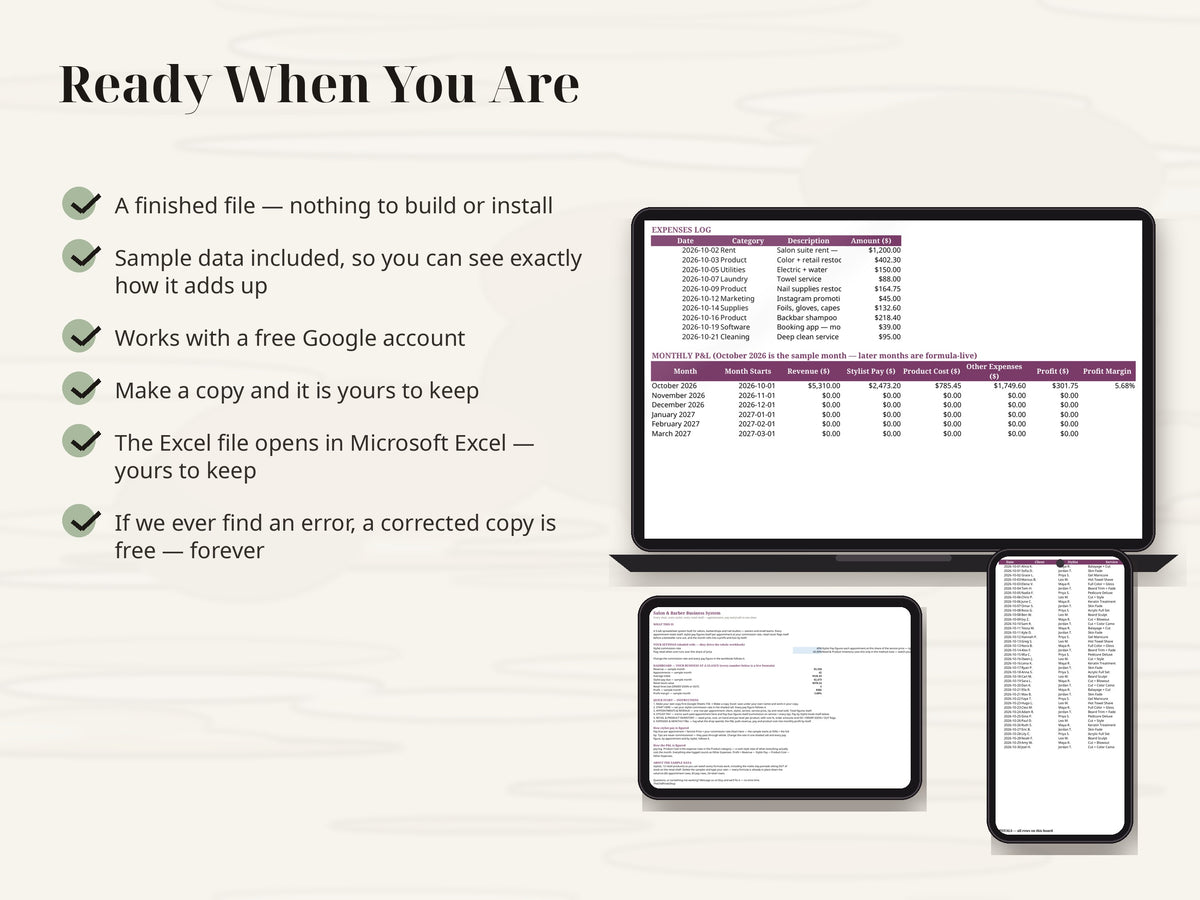
• Expenses & P&L — Log what the shop spends; the monthly P&L builds itself from every other tab.
HOW STYLIST PAY IS FIGURED
Pay Due per appointment = Service Price × your commission rate (Start Here — the sample starts at 45%) + the full tip. Tips are never commissioned — they pass through whole. Change the rate in one shaded cell and every pay figure, by appointment and by stylist, follows it.
HOW THE P&L IS FIGURED
Revenue comes from Appointments & Revenue (service + tips + retail, matched by date). Stylist Pay comes from the pay log. Product Cost is the expense rows in the Product category — a cash-style view of what restocking actually cost the month. Everything else logged counts as Other Expenses. Profit = Revenue − Stylist Pay − Product Cost − Other Expenses.
THE SAMPLE DATA
It comes loaded with one fictional month (Velvet Chair Salon & Barber Co., October 2026 — 42 appointments, 4 stylists, 12 retail products) so you can watch every formula work before you delete the samples and type your own: a $260 keratin treatment paying out $159 at the 45% commission rate, pay totaled by stylist with nobody adding anything up by hand, and an October P&L with a real profit figure. Formulas are pre-filled down the columns — 60 appointment rows, 60 pay rows, 24 retail rows, ready to go.
REQUIREMENTS: a free Google account for the Google Sheets version (the link is inside delivery.pdf), or Microsoft Excel for the .xlsx file delivered with this listing. Nothing to install — check the day's board from your phone between clients.
This is a digital product — no physical item will be shipped, and all sales are final (we can't accept returns or cancellations on digital downloads). Your files are available instantly after checkout. But don't worry: if anything isn't working right, message us anytime and we'll fix it for you — no time limit.
Share