InkSheet Studio
Florist Business Spreadsheet | Order Board, Arrangement Cost Calculator, Stem Count and Flower Inventory for Wedding & Event Florists
Florist Business Spreadsheet | Order Board, Arrangement Cost Calculator, Stem Count and Flower Inventory for Wedding & Event Florists
Couldn't load pickup availability
INSTANT DOWNLOAD — HOW IT WORKS: This is a digital download, not a physical product — nothing is shipped. After checkout, your download link appears right on the confirmation page and is also emailed to you. Use the files in your favorite apps and projects, or print the PDF files at home or at a local print shop.
A wedding on Saturday, a corporate order on Tuesday, and a cooler full of peonies you paid for last week. What did that centerpiece actually cost you — stem by stem? How many bunches do 20 arrangements really need? And at the end of the month — after wholesale flowers, rent and packaging — what did the studio really keep?
Most florist spreadsheets stop at an order list. This one runs the whole studio: your clients and events live in one register, every order moves Inquiry → Booked → Designed → Delivered → Paid on one board with balances that figure themselves, every arrangement is priced from its true stem-by-stem cost at your target margin, stem counts turn into a bunch order rounded up by themselves, flower stock flags itself before you run out, signature recipes carry their own cost, price and margin, and income and expenses roll into a monthly profit-and-loss by itself. In the sample month inside, the studio earns $6,510 — and three delivered orders are still owed $1,050, because one wedding balance was half-paid, one corporate order was part-paid, and one celebration simply hasn't been chased yet. Delivered is not the same as paid. The sheet knows the difference.
Transparency note: this spreadsheet was designed with AI assistance, then hand-built and formula-tested by our shop.
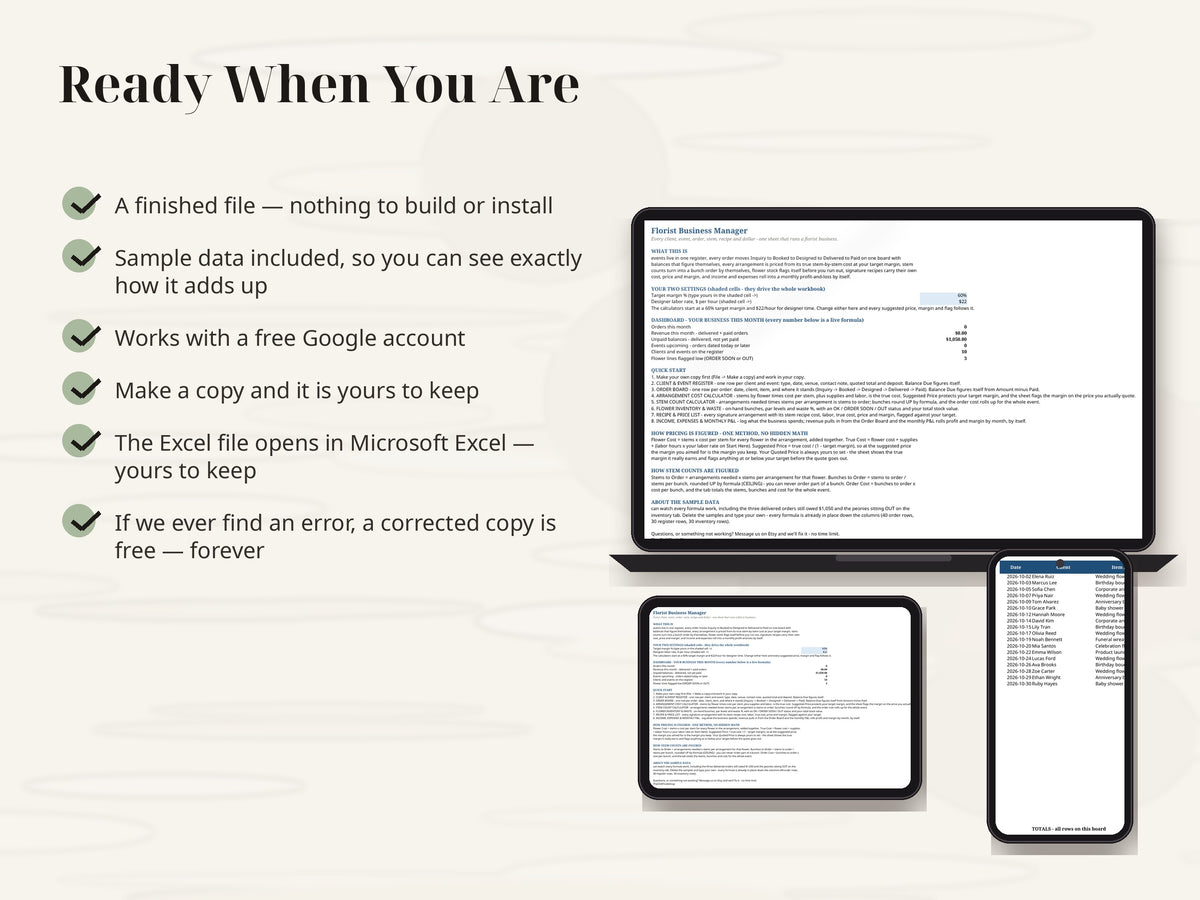
DUAL FORMAT — GOOGLE SHEETS + EXCEL: this workbook works in both Google Sheets and Microsoft Excel, so a wedding florist or event florist is not locked into one program — run the studio in whichever one you already use.
THE 8 TABS
• Start Here + Dashboard — plain-English quick start, the two settings that run the whole sheet (your target margin % and your designer labor rate), and a live dashboard: orders this month, revenue this month, unpaid balances for delivered work, events upcoming, clients on the register and flower lines flagged low
• Client & Event Register — one row per client and event: event type and date, venue, contact note, quoted total, deposit paid, and a balance due that figures itself
• Order Board — one row per order: date, client, item, and a status that walks the pipeline Inquiry → Booked → Designed → Delivered → Paid. Balance Due figures itself from Amount minus Paid, so delivered-but-unpaid work never hides
• Arrangement Cost Calculator — the pricing heart: stems by flower times cost per stem, plus supplies, plus labor hours times your rate, is the true cost; a suggested price protects your target margin, and the real margin on the price you actually quote is flagged AT or BELOW TARGET before the quote goes out
• Stem Count Calculator — arrangements needed times stems per arrangement by flower is stems to order; bunches round UP by formula (you can never order part of a bunch), and the order cost rolls up for the whole event
• Flower Inventory & Waste — your cooler in one tab: unit costs, on-hand bunches, par levels, waste %, the exact amount to order, an OK / ORDER SOON / OUT status, and your total stock value
• Recipe & Price List — every signature arrangement with its stem recipe cost, supplies, labor, true cost, price and margin, each flagged against your target
• Income, Expenses & Monthly P&L — log what the business spends; revenue pulls in from the Order Board by itself, and the monthly P&L rolls revenue and expenses into profit and profit margin by month
HOW THE PIPELINE WORKS
An order starts as Inquiry, becomes Booked when the client commits, Designed when the flowers are made, Delivered when they go out, and Paid when the money lands in full. Anything sitting at Delivered with a balance is work you have done and not been paid for — the Dashboard totals exactly that as your unpaid balances, so the chase list is always in front of you.
HOW PRICING IS FIGURED — ONE METHOD, NO HIDDEN MATH
Flower Cost = stems × cost per stem for every flower in the arrangement, added together. True Cost = flower cost + supplies + (labor hours × your labor rate on Start Here). Suggested Price = true cost ÷ (1 − target margin), so at the suggested price the margin you aimed for is the margin you keep. Your Quoted Price is always yours to set — the sheet just shows you the true margin it really earns and flags anything at or below your target. The manager starts at a 60% target margin and $22/hour for designer time; change either in one shaded cell on Start Here and every price, margin and flag follows it. Stem counts work the same honest way: Stems to Order = arrangements needed × stems per arrangement, Bunches to Order = stems to order ÷ stems per bunch rounded UP by formula, and Order Cost = bunches × cost per bunch.
THE SAMPLE MONTH
It comes loaded with one fictional month (Petals & Post Floral Studio, October 2026 — 10 clients and events, 18 orders) so you can watch every formula work before you delete the samples and type your own: peonies sitting OUT on the inventory tab, a Garden Rose Centerpiece that keeps 62.81% at $320 against a $297.50 suggested price, and a 20-centerpiece event that needs 620 stems in 48 bunches costing $1,505. Formulas are pre-filled down the columns — 30 register rows, 40 order rows, 30 inventory rows, ready to go.
FINISHED FILE — This listing is a digital item, delivered instantly as a file at checkout. The file is finished and ready to use — nothing is customized or personalized. If anything ever breaks or a formula misbehaves, message us and you will receive a corrected file free — forever, no time limit.
REQUIREMENTS: a free Google account. Your manager lives in Google Sheets — nothing to install, and the day's orders are right there on your phone between deliveries.
This is a digital product — no physical item will be shipped, and all sales are final (we can't accept returns or cancellations on digital downloads). Your files are available instantly after checkout. But don't worry: if anything isn't working right, message us anytime and we'll fix it for you — no time limit.
Share