InkSheet Studio
Daycare Business Spreadsheet | Enrollment, Billing, Attendance, Staff Schedule, Ratio Watch and Profit Tracker
Daycare Business Spreadsheet | Enrollment, Billing, Attendance, Staff Schedule, Ratio Watch and Profit Tracker
Couldn't load pickup availability
INSTANT DOWNLOAD — HOW IT WORKS: This is a digital download, not a physical product — nothing is shipped. After checkout, your download link appears right on the confirmation page and is also emailed to you. Use the files in your favorite apps and projects, or print the PDF files at home or at a local print shop.
Eighteen children across three rooms, tuition due on the fifth, and two families still have not paid. Which room has an open spot for the family on your waitlist? How many children were actually here on Wednesday — and how many staff were in that room with them? And at the end of the month, after payroll, rent, food and supplies — what did the business really keep?
Most childcare spreadsheets stop at an enrollment list or an attendance sheet. This one runs the whole business side: every child and their guardian contact live in one register with open spots counted by room, attendance counts days present per child by itself, every tuition bill figures its own due, balance and PAID / DUE / OVERDUE flag, staff shifts turn into weekly hours and pay estimates on their own, each room's ratio is watched against a target you set yourself, and payroll and expenses roll into a monthly profit-and-loss by themselves. In the sample month inside, the center bills $17,160 of tuition and collects $14,600 of it — $2,560 is still owed, because two families never paid and one paid short. Billed is not the same as banked. The sheet knows the difference.
Transparency note: this spreadsheet was designed with AI assistance, then hand-built and formula-tested by our shop.
THE 8 TABS
• Start Here + Dashboard — plain-English quick start, your room capacity settings, and a live dashboard: enrolled children, open spots by room, tuition due vs collected this month, unpaid balances, and staff and children present on the latest ratio day
• Enrollment Register — one row per child: room (Infants, Toddlers, Preschool in the sample), full-time or part-time schedule, weekly tuition, start date, status, and guardian contact
• Attendance Log — one row per child per day, Present or Absent. Days present and days absent per child per month count themselves at the bottom of the tab
• Billing & Tuition — one row per child per month: room, schedule and weekly tuition pull in from the register, tuition due figures itself from the rate and the weeks billed, and the balance and PAID / DUE / OVERDUE flag follow the amount paid
• Staff Schedule — one row per staff member: room, role, shift in and out, days per week and pay rate. Hours per shift, weekly hours and the weekly pay estimate figure themselves
• Ratio Watch — per room per day: children present divided by staff present is the ratio, figured for you, and flagged OVER when it passes the target ratio you set for that room at the top of the tab
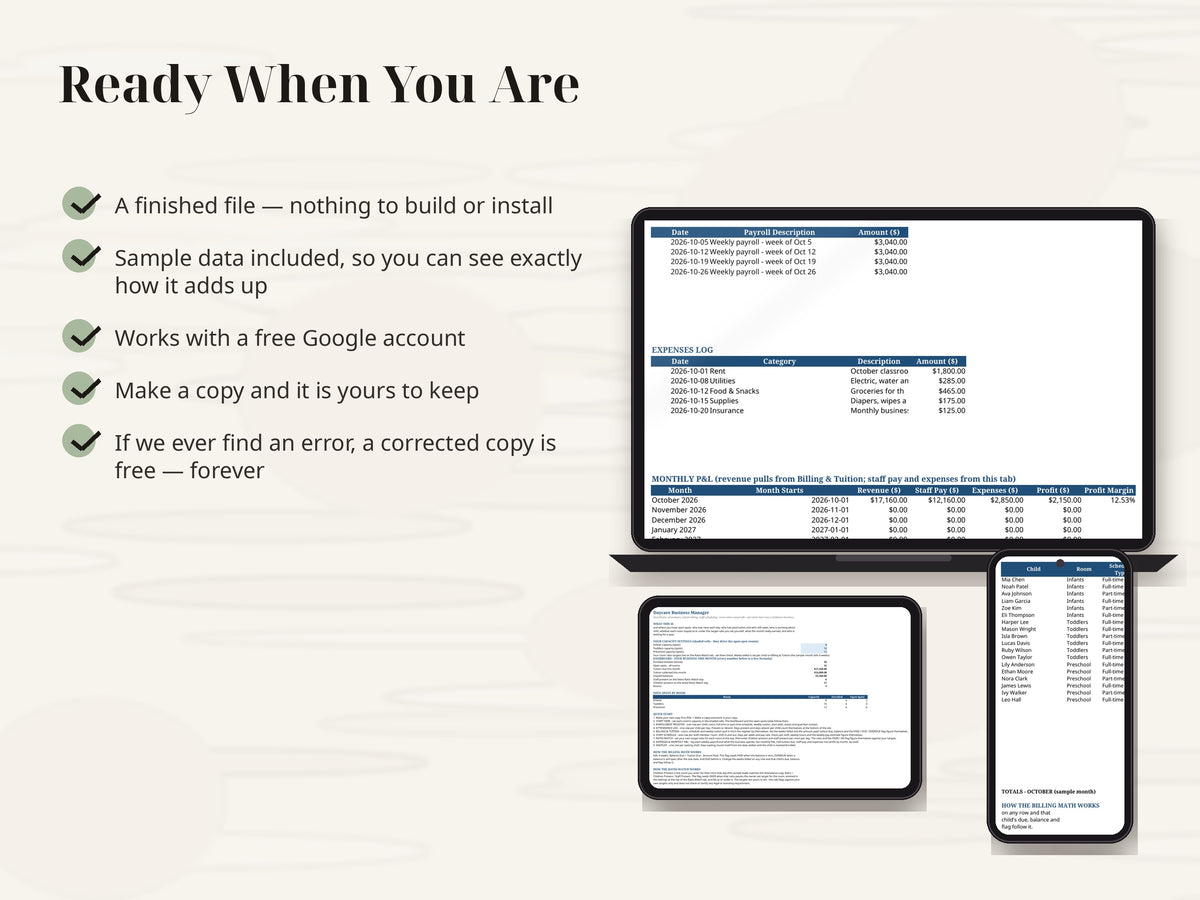
• Expenses & Monthly P&L — a payroll log and an expenses log roll into a monthly P&L: tuition due (revenue), staff pay and expenses become profit and profit margin by month, by themselves
• Waitlist — one row per waiting child: room wanted, date added, status, and days waiting counted from the date added until the child is marked Enrolled
HOW THE BILLING WORKS
Tuition Due = the child's weekly tuition (from the Enrollment Register) x the weeks billed that month — the sample month bills 4 weeks. Balance Due = Tuition Due − Amount Paid, so unpaid tuition never hides. The flag reads PAID when the balance is zero, OVERDUE when a balance is still open after the due date, and DUE before it. Change the weeks billed on any row and that child's due, balance and flag follow it.
HOW THE RATIO WATCH WORKS — YOUR TARGETS, YOUR FLAG
Children Present is the count you enter for that room that day (the sample week matches the Attendance Log). Ratio = Children Present ÷ Staff Present. The flag reads OVER when that ratio passes the target you set for the room in the settings at the top of the Ratio Watch tab, and OK at or under it. Those targets are yours to set and change — the tab flags against your own targets only, and it does not check or certify any legal or licensing requirement.
THE SAMPLE MONTH
It comes loaded with one fictional month (Sunshine Sprouts Childcare, October 2026 — 18 children in 3 rooms, 6 staff) so you can watch every formula work before you delete the samples and type your own: Liam Garcia's full $1,200 still OVERDUE on the billing board, the Toddlers room flagging OVER on Wednesday Oct 21 (6 children present, 1 staff present, ratio 6.00 against a target of 5), and an October profit of $2,150 after $12,160 of payroll and $2,850 of expenses. Formulas are pre-filled down the columns — 30 register rows, 30 billing rows, 30 ratio rows, 20 waitlist rows, ready to go.
FINISHED FILE — This listing is a digital item, delivered instantly as a file at checkout. The file is finished and ready to use — nothing is customized or personalized. If anything ever breaks or a formula misbehaves, message us and you will receive a corrected file free — forever, no time limit.
REQUIREMENTS: a free Google account. Your manager lives in Google Sheets — nothing to install, and the day's numbers are right there on your phone between drop-off and pick-up.
This is a digital product — no physical item will be shipped, and all sales are final (we can't accept returns or cancellations on digital downloads). Your files are available instantly after checkout. But don't worry: if anything isn't working right, message us anytime and we'll fix it for you — no time limit.
Share