InkSheet Studio
Couples Budget Spreadsheet | Shared Monthly Budget, Expense Tracker & Savings Goals | Google Sheets Finance Planner
Couples Budget Spreadsheet | Shared Monthly Budget, Expense Tracker & Savings Goals | Google Sheets Finance Planner
Couldn't load pickup availability
INSTANT DOWNLOAD — HOW IT WORKS: This is a digital download, not a physical product — nothing is shipped. After checkout, your download link appears right on the confirmation page and is also emailed to you. Use the files in your favorite apps and projects, or print the PDF files at home or at a local print shop.
One budget, two people, zero money fights. This Couples Budget Spreadsheet gives you and your partner a shared, calm view of your money — planned spending, daily expenses tagged by who paid, savings goals, and bills, all in one Google Sheet.
Transparency note: this spreadsheet was designed with AI assistance, then hand-built and formula-tested by our shop.
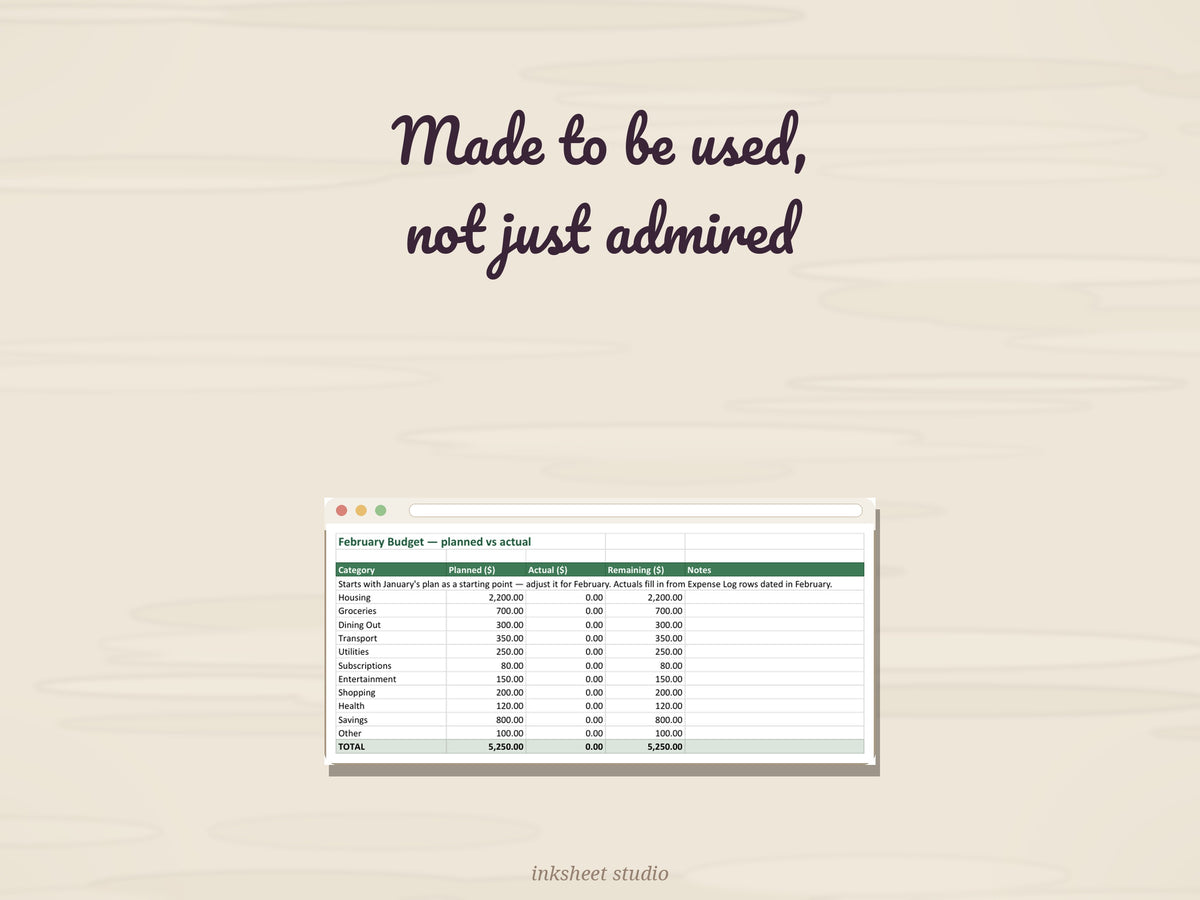
Fill in the white cells; the green cells do the math.
WHAT'S INSIDE — a Google Sheets spreadsheet (instant "Make a copy" link) with 19 tabs:
- Start Here — setup guide that gets you going in 4 steps
- Dashboard — your year at a glance: total planned vs spent across all 12 months, remaining, savings rate, each partner's share (shared costs split automatically), bills paid, savings funded, subscriptions per month — plus a month-by-month table
- January–December — 12 monthly budget tabs, one per month: 11 categories (housing, groceries, dining, transport, utilities, subscriptions, entertainment, shopping, health, savings, other) with planned vs actual — actuals fill in automatically from your expense log rows dated in that month
- Expense Log — 100-row daily log: date, description, category, amount, and who paid (Partner A, Partner B, or Shared); a Month # column fills itself from the date and routes each row to its monthly tab
- Savings Goals — 10 goals with target, saved amount, and auto progress %
- Bills — 20 recurring bills: amount, due day, autopay flag, paid check-off, totals
- Bills Calendar — every bill on a Jan–Dec calendar that fills itself from the Bills tab, with the total due in each month and for the year
- Subscription Tracker — 20 recurring charges: amount, billing cycle, next renewal, category, who pays, status, and monthly + annual cost figured for you
Includes marked EXAMPLE rows so you can see how it works — delete them when ready.
REQUIREMENTS: a free Google account. Click the link in your download PDF, hit "Make a copy," and the spreadsheet is yours — no Excel needed, works on any device.
HOW IT WORKS: Enter your names and take-home pay on the Dashboard, set your plan on each monthly tab (January–December), log spending on Expense Log (tag who paid), and watch Savings Goals and Bills stay on track.
This is a digital product — no physical item will be shipped, and all sales are final (we can't accept returns or cancellations on digital downloads). Your files are available instantly after checkout. But don't worry: if anything isn't working right, message us anytime and we'll fix it for you — no time limit.
Share